Contract Curation Review Process
What is contract curation?
A key part of Zapper's data stack is associating smart contracts with the off-chain applications the contracts are owned by. The process of associating a contract with an app is called "contract curation". Apps are generally just a collection of contracts that are owned and governed by the same entity.
Users can submit contracts to be associated with an app through a few different paths, such as part of the transaction interpretation flow.
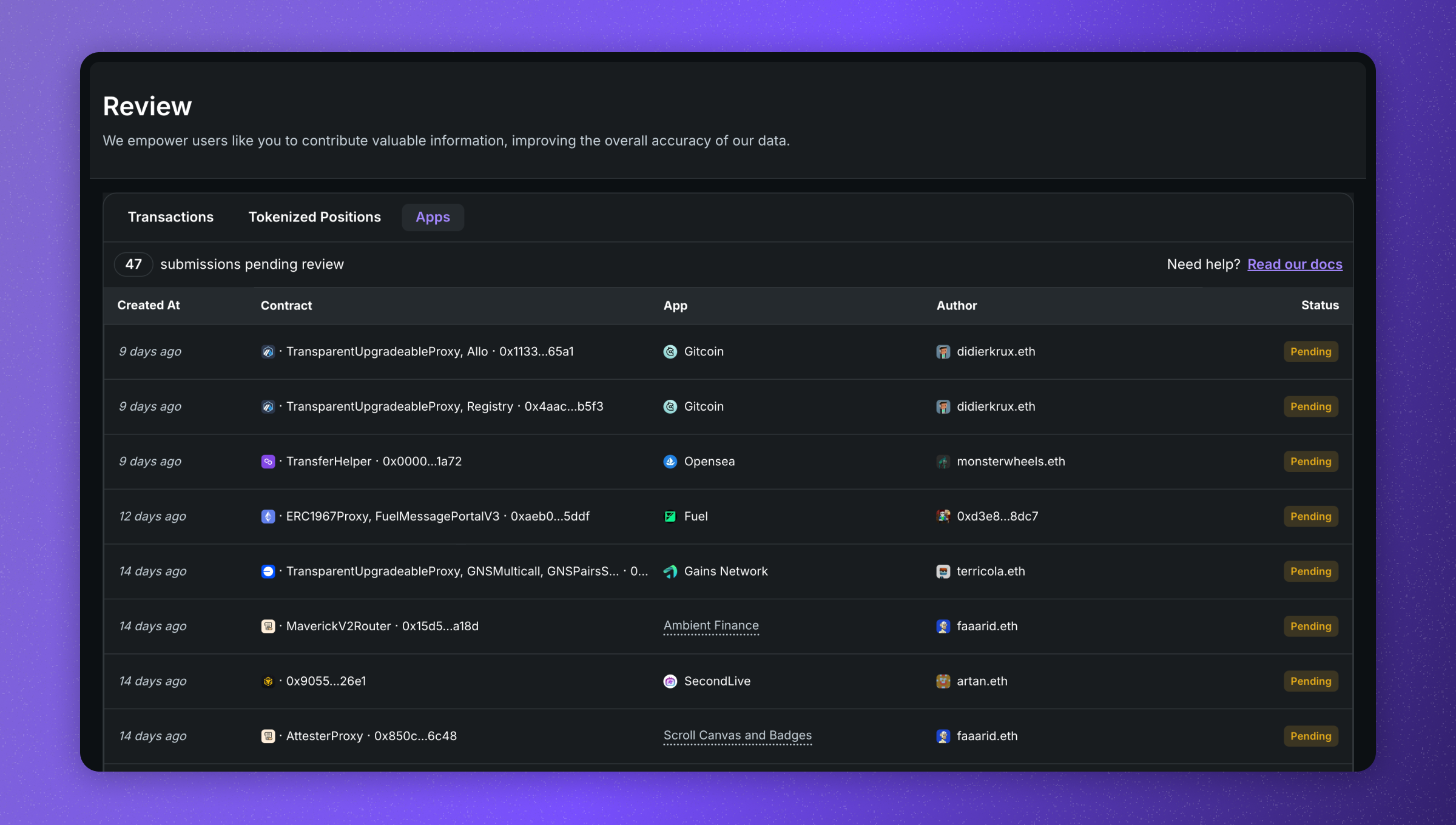
Once a user submits an association, it is then put into a queue for review by Reviewers, to confirm that the contract is indeed associated with the app the user has submitted.
Once approved, this app-contract association will then be used across Zapper, associating all balances and transactions with the app in portfolios, bundles, trends pages, activity feeds and more.
Reviewer responsibilities
Reviewers are responsible for reviewing contract curation submissions to ensure that the contract is associated with the correct app. Reviewers are expected to confirm the association by verifying the app is truly the owner of the contract. This can be done by referring to the contract's source code, the contract's creator, the app's website or github.
Steps to review a contract curation submission
- Choose a contract curation submission to review
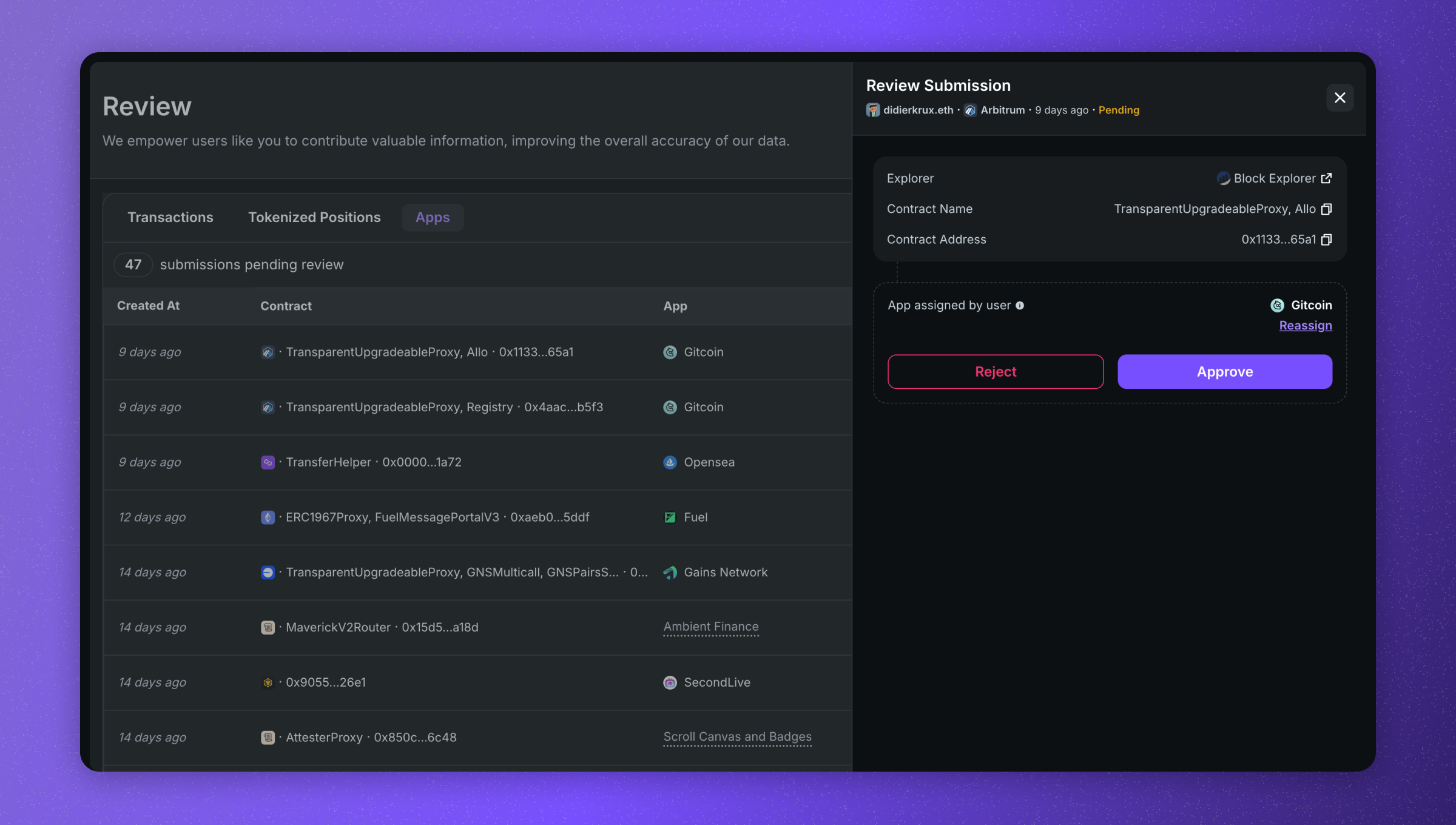
- Open the contract in a chain explorer or search for it in a search engine, github or other source
- Confirm that the contract is associated with the app the user has submitted
- Approve or Reject
Rejecting a contract curation submission
Some contract curations may need to be rejected for various reasons:
- The contract has already been associated with an app. In this case, it should be rejected, and instead updated on the original submission.
- It is not clear the submitted app is the owner of the contract. The reviewer may make a judgement call based on the information available, such as going on the word of the submitter if there is not documentation available that clearly points to the submitted app not being the owner.
- Spam submissions lacking substantive information
After hitting the “Reject” button and selecting a reason, the submission status changes from Pending to Rejected.
Resources for Reviewing
- Exploring the contract address on a chain explorer
- Searching for the contract in a search engine, to see if its listed on app's website, such as on their docsite
- Search for the contract on Github. Here is an example Github search for an Immutable chain contract 0xba5e35e26ae59c7aea6f029b68c6460de2d13eb6.